| View previous topic :: View next topic |
| Author |
Message |
Flakwalker
Joined: 07 Aug 2005
Posts: 129
|
 Posted: Mon Oct 03, 2005 6:19 pm Post subject: Question on Pack3D |
 |
|
I give a try on Pack3D tool, nice one, however I have the following questions, I use 3DMAX, each ship is divided on parts and is not posible to load them in the current place, no mention that the UVW mapping is not keep.
Anyone using 3Dmax aswell? to make a model I dont know, but for import one is a different matter. |
|
| Back to top |
|
 |
Cdre Gibs
Joined: 27 Apr 2005
Posts: 742
|
| Posted: Mon Oct 03, 2005 9:42 pm Post subject: |
|
|
I have the same problem with the texturs as well. As to the placement of each obj in relationship to each other, thats normal. The COORD's (X,Y,Z) of each obj are usually done via coding (normally) inside the game (dat file). In Max every thing should be at COORD's 0,0,0 - all u do is place each obj where want it to go and jot down the COORD's then inside the dat file adjust the COORD's as required. Now thats how most games go as far as MAX is concerned, but as to if Sansal's Util will allow COORD's to be exported with a multiple Obj's export I have no idea.
The other problem I'm having is that it will extract the obj just fine out of any dat file, it just wont clone any damn thing. It gets to "Cloning *_*.cam" and comes to a grinding halt. It will stay this way for ages until I kill the tool off.
At this stage I have not done an import back into a dat file so I cant comment on any of that aspect. |
|
| Back to top |
|
|
Sansal
Joined: 15 May 2005
Posts: 150
Location: Spain
|
| Posted: Mon Oct 03, 2005 9:47 pm Post subject: |
|
|
Hi Flakwalker:
This is the last version http://rapidshare.de/files/5848151/Pack3D.jar.html now work fine with the uvmap and the textures (tested with Maya).
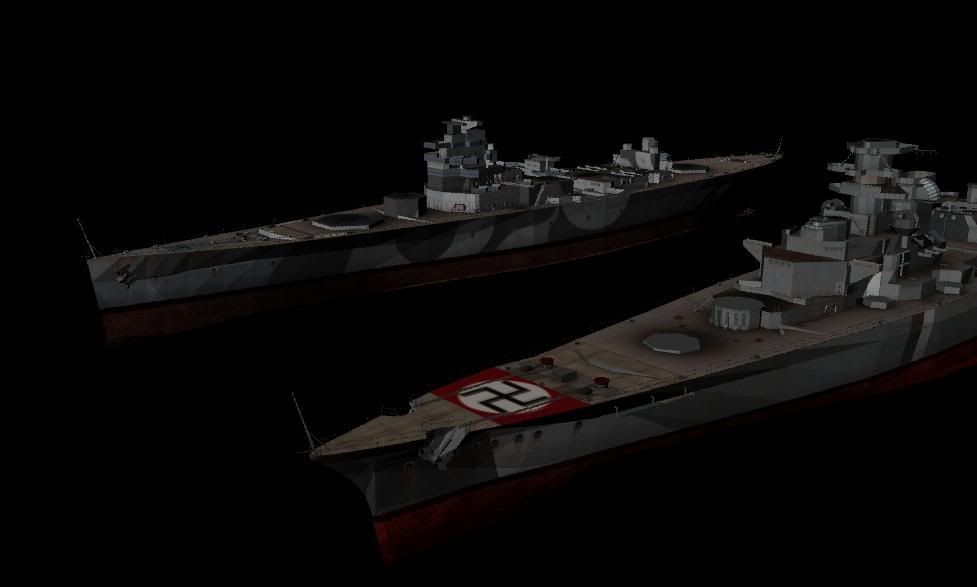
The objects are separated on parts as they are in the .dat; the nodes are separates of the objects, the labels are separated of the objects, there are textures without labels, labels without objects... :/\x:
Sorry but it's my first work with 3d models and there are a lot of complexity in all this. |
|
| Back to top |
|
|
Cdre Gibs
Joined: 27 Apr 2005
Posts: 742
|
| Posted: Mon Oct 03, 2005 10:18 pm Post subject: |
|
|
Ohh, btw Sansal. Any idea on the manual for the util. I'm under the impression I'm doing something wrong when I try to clone. Well I hope its just me  |
|
| Back to top |
|
|
Sansal
Joined: 15 May 2005
Posts: 150
Location: Spain
|
| Posted: Mon Oct 03, 2005 10:30 pm Post subject: |
|
|
The oficial translator (Mix-Martes) are working on it, i guess that tomorrow he post the translation. Before cloning a unit you need prepare the files and folders first. You don't worry for the 3d folder in the game.
Thanks for your patient, |
|
| Back to top |
|
|
Cdre Gibs
Joined: 27 Apr 2005
Posts: 742
|
| Posted: Mon Oct 03, 2005 10:35 pm Post subject: |
|
|
Ahhh, I thought as much. Doing it the wrong bloody way .
Looking forward to the manual, and thx again for all your efforts Sansal. |
|
| Back to top |
|
|
Flakwalker
Joined: 07 Aug 2005
Posts: 129
|
| Posted: Tue Oct 04, 2005 1:01 pm Post subject: |
|
|
| Ah, thanks Sansal, is a jar file, I have to put along with the bat or load it somewhere? (sorry Im not a java expert) |
|
| Back to top |
|
|
Sansal
Joined: 15 May 2005
Posts: 150
Location: Spain
|
| Posted: Tue Oct 04, 2005 1:50 pm Post subject: |
|
|
Copy this file, as is, in the sh3 folder or where you want....and double click over the icon of Pack3D, if you have installed www.java.com the system open a window.
The jar works as it is a exe file. |
|
| Back to top |
|
|
Flakwalker
Joined: 07 Aug 2005
Posts: 129
|
| Posted: Tue Oct 04, 2005 6:47 pm Post subject: |
|
|
It give me a java error 
I had found a self executable jar file on a thread in this forum, like the DOS but this time with an interface, it works, but again, the mapping is not keep.
Well I will wait until a manual and a complete set of files are ready, the problem with the obj on max is that it have lot of import parameters, parameters that may modific the 3D model plus export parameters that make the 3D file not compatible with the game.
If I make a 3D model with 3DMAX will be good to know how to export it properlly. |
|
| Back to top |
|
|
|



