| View previous topic :: View next topic |
| Author |
Message |
stljeffbb1
Joined: 20 Aug 2005
Posts: 171
Location: Wisconsin USA
|
 Posted: Sat Aug 27, 2005 12:19 pm Post subject: |
 |
|
Thanks for your guidance Sansal 
Yeah, I need to know how to render these objects like you did in your program Maya 6.0....I've downloaded some similar programs, but I'm still getting a feel for how all of these things go together...
I can see how to extract objects, but I don't know yet how to view them, other than of course in SH3
Like I said, I'm a newbie!

-Jeff |
|
| Back to top |
|
 |
Sansal
Joined: 15 May 2005
Posts: 150
Location: Spain
|
| Posted: Sat Aug 27, 2005 12:45 pm Post subject: |
|
|
In Maya is easy; File -> Import ... select the file exportet and that's all. The 3D Studio or Softimage ( http://www.softimage.com/products/Mod/v4/ it's free) can do the same, i think.
The tool of Lurbz it's fantastic but.....only one method more...only one!!!!... and this game will be break for us; new ships, new ports, new subs...  I has proved to export the objects in the format's that Maya suports but no there are anything similar with UBI format
This ship are wayting for a new tool
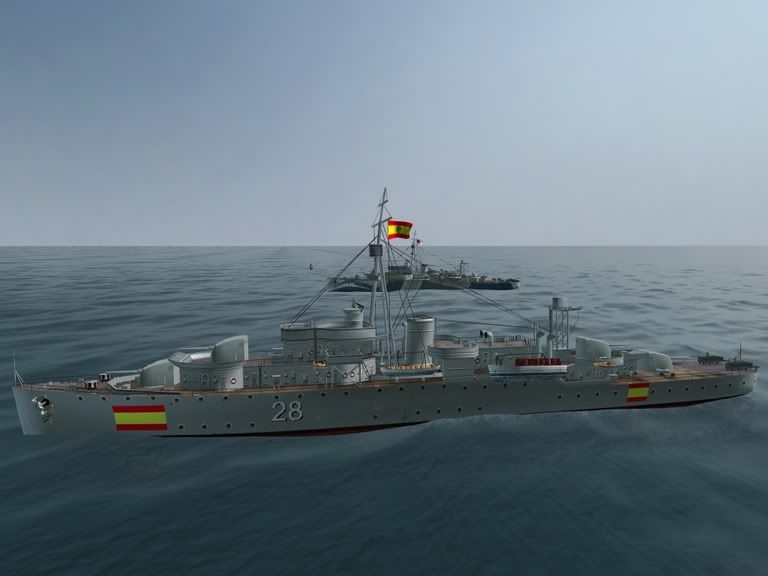
P.D. I'm a begginer too with a book "Maya 4" by Jim Lammers and Lee Gooding and the guidance of SergButo  |
|
| Back to top |
|
|
stljeffbb1
Joined: 20 Aug 2005
Posts: 171
Location: Wisconsin USA
|
| Posted: Sun Sep 04, 2005 12:21 am Post subject: Woohoo got it to work! |
|
|
Hi everybody...well, I was able to clone the JU 87 using the instructions provided by THE_ORZEL and many others....pretty easy when the code is provided :/\k:
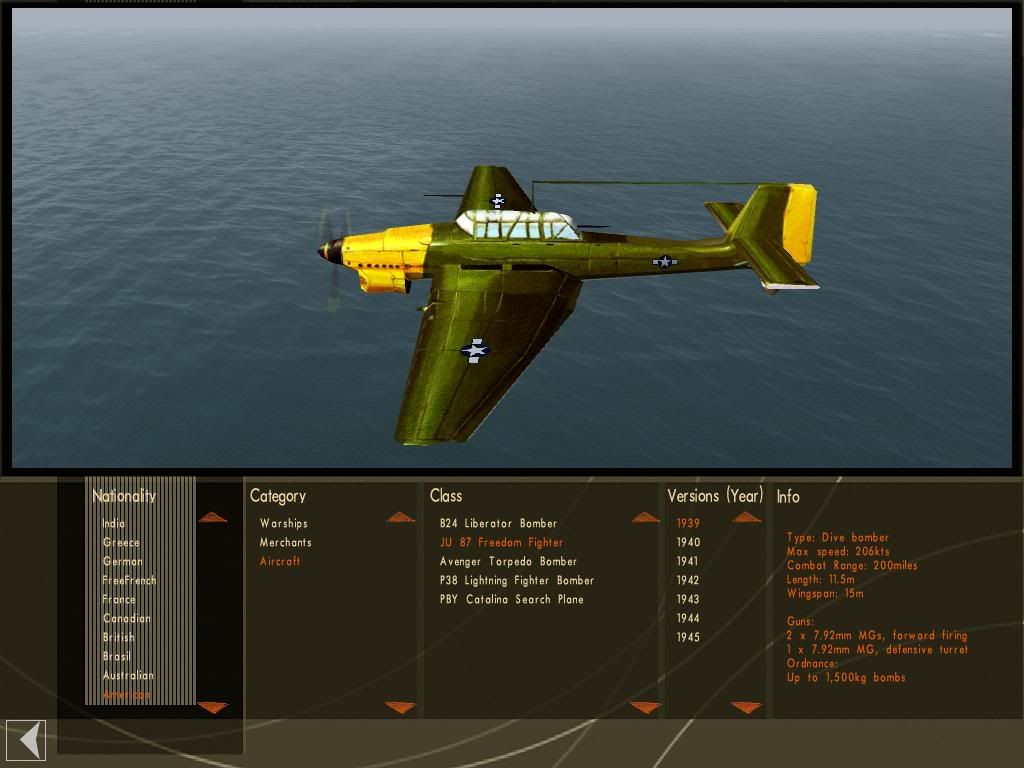
Notice the American insignia....and this is a real clone, not just a JU 87 Stuka....I suppose this should be the first clone for the clone library..I've been poking around trying to find some free web hosting and I've found a couple of suitable sites...
Now comes the even harder part of finding those ID chunks...I'm still looking for a good program to help augment the Lurbz tool.
-Jeff |
|
| Back to top |
|
|
Commander1980
Joined: 07 Jun 2005
Posts: 216
Location: Germany
|
| Posted: Sun Sep 04, 2005 4:11 am Post subject: |
|
|
Nice work 
I was not that successful with cloning the c-class, the dido and bismarck. I think i should concentrate on one ship  |
|
| Back to top |
|
|
stljeffbb1
Joined: 20 Aug 2005
Posts: 171
Location: Wisconsin USA
|
| Posted: Sun Sep 04, 2005 8:47 am Post subject: |
|
|
Hi Commander1980....
Yeah, figuring out the ID's is going to be tough.....that is why I'm looking for a different disassembler program to augment the Lurbz tool.....IDA Pro Freeware might just do the trick, but I need to look at it some more....
I have a question.....are there machine guns for airplanes in the game? I have not noticed any, and as a matter of fact, the only threads I recall seeing concerning adding guns to airplanes involve ship guns.
Perhaps another thing that can be done is when people break the code and figure out all the ID's (like THE_ORZEL did when he posted them on this thread concerning the Stuka and Liberator), if they would kindly post them to this thread....we wouldn't necessarily even need to have a library....
-Jeff |
|
| Back to top |
|
|
Commander1980
Joined: 07 Jun 2005
Posts: 216
Location: Germany
|
| Posted: Sun Sep 04, 2005 9:09 am Post subject: |
|
|
The aircraft guns seem to be implemented in the ships-dat file. To get a Hurricane fire at you, it must be armed with a ships gun.
A great ID-library would be great! |
|
| Back to top |
|
|
stljeffbb1
Joined: 20 Aug 2005
Posts: 171
Location: Wisconsin USA
|
| Posted: Sun Sep 04, 2005 9:45 am Post subject: |
|
|

HOLY CRAP! Aircraft do certainly have machine guns!
I just ran the Naval Academy with the Stuka and Killer (my name for the cloned Stuka) to see if it would work and it worked great! I'm glad Stukas are on our side, because the turret gun on the back of the plane shot my sub up!
I never mess with airplanes in the game....if I see one, I dive, so I've never experienced being shot at....
Commander1980....if I read you right, it looks like the forward guns won't fire, however, I can certainly attest that I was being shot at....the looks I got through the binoculars appeared to have the machine gun fire coming from the rear of the plane....that sucks that the forward machine guns won't fire for some reason....
Another issue I have is separate textures for the real and cloned Stuka....I've read about different textures on some different threads, and its kind of odd....I used the Chessmaster .tga extractor and edited separate files for each plane, and when I re-extract, the .tga files are different, but for some reason, the Museum shows only one texture for both...I'll have to figure that one out.
-Jeff |
|
| Back to top |
|
|
Commander1980
Joined: 07 Jun 2005
Posts: 216
Location: Germany
|
| Posted: Sun Sep 04, 2005 10:44 am Post subject: |
|
|
jep, i meant the forward firing machineguns, not those defense-guns
In "Das Boot", the U96 is attacked by that machinegun fire from a Spitfire or Hurricane. Unfortunately, when arming a SH3-Hurricane with a ships machine gun, it works like a turret...
To allow different textures for your Killer, you have to "place a link" in the dat-file and place your new texture in the data/textures/TNormal/tex folder. But i do not know, how to make this exactly. Sergbuto was successful in that with the additional merchants and the Soutampton-class.
Try rename all stuka-textures entries in the dat file to Killer.tga (or something like that, same number of latters than the original) and place the stuka.tga in the textures folder...maybe it works... |
|
| Back to top |
|
|
stljeffbb1
Joined: 20 Aug 2005
Posts: 171
Location: Wisconsin USA
|
| Posted: Sun Sep 04, 2005 12:03 pm Post subject: NOPE! |
|
|
Well, I attempted to clone the DE Evarts, and the clone shows up, but when I tried to click on the original, it causes a CTD.....
I think this means that not quite all of the IDs were copied to the above list......well, I'm almost out of time for this weekend, so this will have to wait

-Jeff |
|
| Back to top |
|
|
Sansal
Joined: 15 May 2005
Posts: 150
Location: Spain
|
| Posted: Mon Sep 05, 2005 4:31 am Post subject: |
|
|
| stljeffbb1 wrote: |
Another issue I have is separate textures for the real and cloned Stuka....I've read about different textures on some different threads, and its kind of odd....I used the Chessmaster .tga extractor and edited separate files for each plane, and when I re-extract, the .tga files are different, but for some reason, the Museum shows only one texture for both...I'll have to figure that one out.
-Jeff |
You need re-change the id-tga of your clone every time that you pack a new version of the tga. In other words, when you pack a tga in a dat file the chessmaster reset the original tga-id.
| Quote: | Well, I attempted to clone the DE Evarts, and the clone shows up, but when I tried to click on the original, it causes a CTD.....
I think this means that not quite all of the IDs were copied to the above list......well, I'm almost out of time for this weekend, so this will have to wait
|
Sorry about this. This week I have been working in the tool that we need for change the 3d vertex and it can list all chunks in few seconds...one day more, only one 
Salutes, |
|
| Back to top |
|
|
Commander1980
Joined: 07 Jun 2005
Posts: 216
Location: Germany
|
| Posted: Mon Sep 05, 2005 6:49 am Post subject: |
|
|
| Sansal wrote: |
Sorry about this. This week I have been working in the tool that we need for change the 3d vertex and it can list all chunks in few seconds...one day more, only one
Salutes, |
That would be great - i will name ship after you |
|
| Back to top |
|
|
stljeffbb1
Joined: 20 Aug 2005
Posts: 171
Location: Wisconsin USA
|
| Posted: Mon Sep 05, 2005 11:02 am Post subject: |
|
|
Hi everyone....
Sansal....yes! Having your tool would be AWESOME! And thanks for the tip on the .tga stuff....
We WILL make this game into what we want! Of course, there are a lot of different "we's" out there!
-Jeff |
|
| Back to top |
|
|
Sansal
Joined: 15 May 2005
Posts: 150
Location: Spain
|
| Posted: Thu Sep 08, 2005 9:08 am Post subject: |
|
|
Hi boys:
It's ready the chunk's list and the masive export data (obj and tga's). The program can identifity the chunks in cam, sim, val and zon files The list of chunks is in this format
| Quote: |
List of 294 chunks in NPC_Eolo.dat
Obj:1
Type: 1/101
id: D88A41D133816E95 Label: NPC_Eolok_Swan
size: 224202 Position:82
==================
Obj:2
Type: 2/0
id: 8646C726E7A06E95 Label: normal
size: 58 Position:224284
==================
Obj:3
Type: 3/0
id: 0 Label: NPC_Eolok_Swan512.tga
size: 1048620 Position:224342
==================
Obj:4
Type: 8/0
id: 8646C726E7A06E95 Label: normal
size: 15 Position:1272962
|
I need the total reconstruction of the dat file to include a modified 3d object. It's a big puzzle ..but i'm in the way  |
|
| Back to top |
|
|
Sansal
Joined: 15 May 2005
Posts: 150
Location: Spain
|
| Posted: Fri Sep 09, 2005 5:31 pm Post subject: |
|
|
The .dat creator works fine, the final .dat is valid but
For this change
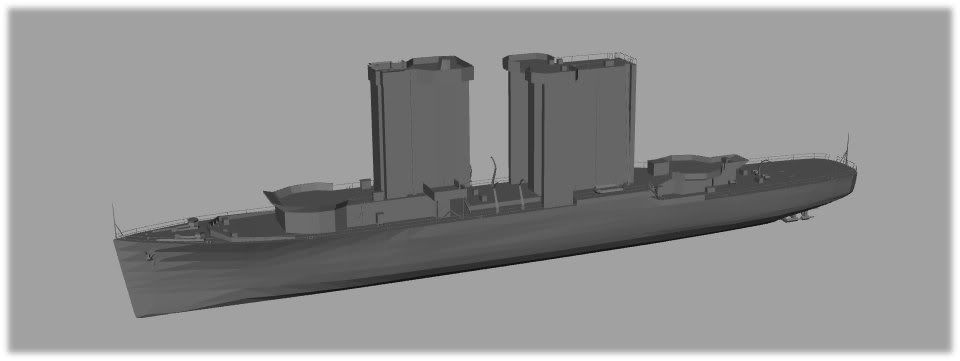
It do something surrealist
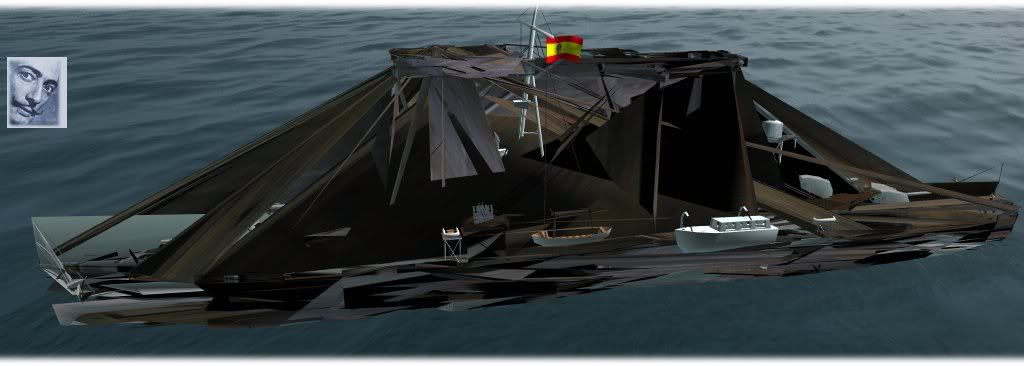
:sunny: |
|
| Back to top |
|
|
iambecomelife
Joined: 11 Apr 2005
Posts: 1047
|
| Posted: Fri Sep 09, 2005 11:54 pm Post subject: |
|
|

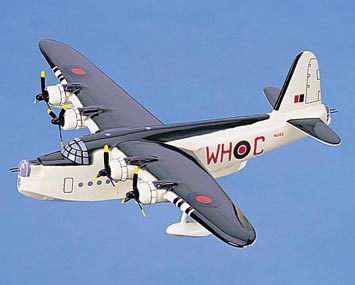
Great news, guys - I followed Orzel's instructions and just managed to clone the Short Sunderland. I'm planning on using it as a Japanese H8K flying boat for the Pacific mod we're tentatively planning. I was SO amazed when I went into museum and didn't get a CTD - 
It took maybe 2 & 1/2 hours to find everything but I got it right on the first try. The Sunderland had about 130 ID's; the ships so far seem to have between 300 and 400. If several of us could spend a week or so just cloning we could add a ton of new units to the game. Just teach me how to make some of those worthless Mk XIV torps and we'll have a Pacific expansion in no time. Many thanks ! |
|
| Back to top |
|
|
|
|
You cannot post new topics in this forum
You cannot reply to topics in this forum
You cannot edit your posts in this forum
You cannot delete your posts in this forum
You cannot vote in polls in this forum
|
Powered by phpBB © 2001, 2005 phpBB Group
|



